2026 Goal Tracker for Canva: Your All-in-One Printable & Editable Planning System
Planning for the year ahead doesn’t have to mean juggling dozens of apps, sticky notes, or mismatched spreadsheets. The 2026 Goal Tracker for Canva Template brings clarity, creativity, and consistency to your personal and professional growth—without requiring design skills or technical know-how. Whether you’re setting fitness targets, launching a side hustle, managing family meals, or building a vision board, this all-in-one digital planner gives you structure *and* flexibility in one beautifully organized package.
What Exactly Is the 2026 Goal Tracker for Canva?
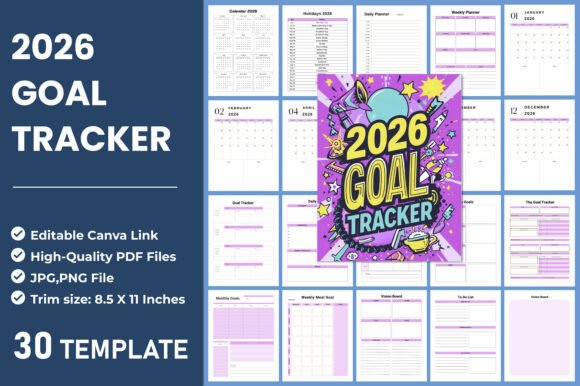
At its core, the 2026 Goal Tracker for Canva Template is a fully editable, professionally designed digital planning system built specifically for the upcoming year. It’s not just a calendar—it’s a holistic productivity toolkit. Hosted on Canva (a free, browser-based design platform), the template includes 30 ready-to-use pages, each purpose-built for different aspects of goal-setting and daily execution.
Unlike static PDF planners or generic printables, this tracker empowers you to personalize colors, fonts, icons, and layouts with just a few clicks. No graphic design experience needed—just your goals, your timeline, and a few minutes to customize.
Why This Template Stands Out in 2024–2025 Planning Tools
Many people assume “digital planner” means complex software or subscription-based apps. But the 2026 Goal Tracker for Canva bridges the gap between simplicity and sophistication. Here’s how:
- No app downloads or logins required — Works instantly in any modern web browser via your Canva account (free tier supported).
- Print-ready & screen-friendly — Includes high-resolution JPG, PNG, and PDF files (8.5 × 11 inches, 300 DPI, no bleed) ideal for printing at home, work, or a local copy shop—or using digitally on tablets with stylus support.
- Truly modular design — Mix and match pages: use only the Daily Planner and Vision Board if that’s your style—or go full immersion with Weekly Meal Goals, Monthly Review Sheets, and To-Do Lists.
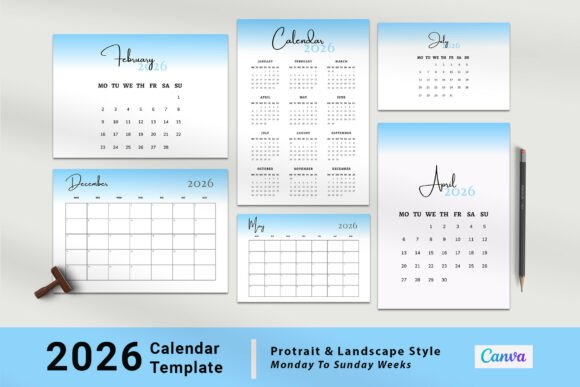
- Year-specific intelligence — Features the official 2026 calendar, pre-marked U.S. federal holidays, and month-by-month grids (January through December) so you never double-book around Thanksgiving or miss tax season prep.
Key Pages Included — And How They Work Together
The power lies in how these components interlock to support behavior change—not just intention. Let’s break down what’s inside:
• Daily, Weekly & Monthly Planners
Start small. The Daily Planner helps you prioritize three key tasks, reflect on energy levels, and track habits like hydration or mindfulness. Pair it with the Weekly Planner to batch similar activities (e.g., “Admin Hours” every Tuesday/Thursday) and align them with broader monthly milestones.
• Goal Trackers — Layered by Timeframe
This isn’t just “write your goal and forget it.” The template offers dedicated sections for Daily Goals, Weekly Goals, and Monthly Goals, encouraging progressive commitment. For example: your monthly goal might be “Read 12 books,” your weekly goal “Finish Chapter 3 of Book 2,” and your daily goal “Read 15 minutes before bed.” That kind of scaffolding builds momentum—and accountability.
• Weekly Meal Goal + To-Do List
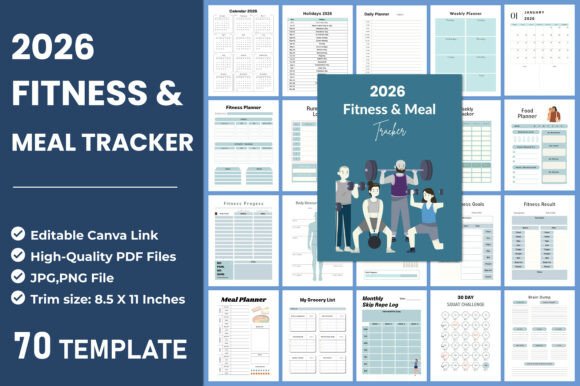
Health and time management collide here. Plan meals ahead to reduce decision fatigue, cut food waste, and stay aligned with nutrition goals—all while checking off grocery items and prep steps. Bonus: it doubles as a gentle habit-builder for mindful eating and intentional living.
• Vision Board & My Notes Pages
Your “why” matters. The two unique Vision Board pages let you add images, quotes, and affirmations that resonate emotionally—not just logically. Meanwhile, the My Notes section serves as your private idea incubator: brainstorm business concepts, journal reflections, sketch project wireframes, or capture spontaneous insights.
Who Benefits Most From This Template?
While anyone preparing for 2026 can benefit, this tracker shines brightest for:
- Students & Educators — Organize semester projects, track study hours, map essay deadlines, and visualize academic growth across terms.
- Freelancers & Solopreneurs — Balance client work, marketing, skill-building, and rest—without overloading your mental RAM.
- New Parents & Caregivers — Coordinate appointments, developmental milestones, meal rotations, and self-care check-ins with realistic granularity.
- Remote Workers & Hybrid Teams — Create visible structure when working from home, reducing burnout and improving focus during deep work blocks.
- Coaches & Therapists — Adapt pages for client worksheets, progress journals, or collaborative goal-setting sessions (with permission and privacy best practices).
Debunking Common Misconceptions
Before adopting any planning tool, it helps to clarify what it’s *not*:
- ❌ It’s not a replacement for project management software like Asana or Notion. While powerful, it’s intentionally lightweight—ideal for personal rhythm, not cross-team sprint tracking.
- ❌ You don’t need Canva Pro. All editing features used in this template are available in the free version of Canva—including text styling, image uploads, and page duplication.
- ❌ “Editable” doesn’t mean “unpolished.” Every page is professionally designed with balanced whitespace, intuitive hierarchy, and accessible contrast—so your customization enhances, rather than undermines, usability.
- ❌ It won’t magically make you productive. Like a gym membership, its value comes from consistent, compassionate use—not perfection. Miss a day? Flip to the next page and begin again.
Getting Started in Under 5 Minutes
Here’s your frictionless onboarding:
- Click your editable Canva link (provided instantly after purchase).
- Sign in or create a free Canva account (no credit card required).
- Click “Share” → “Copy link” to save your personalized version to your Canva dashboard.
- Edit colors, swap photos, adjust fonts — or leave as-is and download your first set of JPG/PNG/PDF files.
- Print, pin, or load onto your tablet — and start filling it out tomorrow.
Pro tip: Duplicate your favorite pages (e.g., “Weekly Goals”) to create multiple versions—one for career, one for wellness, one for creative projects. Canva makes version control effortless.
Final Thoughts: Planning With Purpose in 2026
In a world of constant distraction and shifting priorities, intentionality is a superpower—and tools like the 2026 Goal Tracker for Canva Template help you wield it wisely. It doesn’t promise overnight transformation. Instead, it offers something more sustainable: a clear container for your commitments, grounded in real-world rhythms, visual clarity, and human-centered design.
Whether you're aiming to launch a podcast, run your first 5K, grow a garden, or simply show up more fully for your loved ones—the 2026 Goal Tracker meets you where you are. It honors your autonomy (you choose which pages to use), supports your growth (with layered goal frameworks), and celebrates your progress (through reflection prompts and milestone markers).
So why wait until January 1st? Start customizing today. Download your files. Print your first weekly spread. Paste your vision board image. Write your first “Daily Goal.” Because the most powerful step toward your 2026 isn’t waiting for the new year—it’s choosing clarity, now.